
Math Angle


Measure Angles and Protect Your Satellite
Math Angle is a space-themed educational game where you measure angles using a protractor. Your mission is to help a satellite destroy incoming meteors by finding the correct angle between two lines.
The game shows a red line and a green line that form an angle. You need to measure the space between them and choose the correct answer from the numbers at the bottom of the screen.
A protractor appears on the screen to help you. This is the same type of measuring tool that children use during geometry lessons at school.
Every correct measurement helps the satellite shoot down a meteor. One wrong answer allows the meteor to hit, ending your game.
Learn How to Use the Protractor
A protractor is a tool for measuring angles in degrees. It has numbers marked around its curved edge.
In Math Angle, you can move and rotate the protractor to measure the angle between the red and green lines.
Start by lining up the zero-degree mark with one of the lines. Then look at where the second line crosses the protractor's numbers.
Read the measurement carefully before choosing your answer.
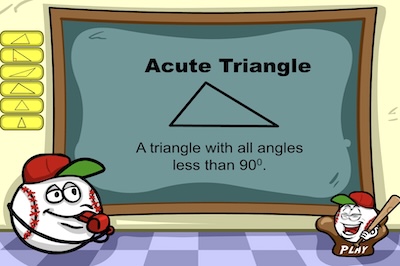
For example, a right angle measures exactly 90 degrees. An angle smaller than 90 degrees is called an acute angle. An angle greater than 90 degrees but smaller than 180 degrees is called an obtuse angle.
Math Angle asks you to find the smaller angle between the two lines, so your answer should be less than 180 degrees.
Shoot Meteors With Correct Answers
Once you measure the angle, look at the available answers along the bottom of the screen.
Choose the number that matches your measurement.
A correct answer makes the satellite turn toward the meteor and fire its laser. The meteor disappears, and a new question appears.
Each correct answer earns you 10 points. You can continue solving angles and increasing your score for as long as you keep answering correctly.
The game also displays your best score, so you can try to beat your previous record.
How to Play Math Angle
Click Start to begin the game.
Use your mouse to move and rotate the protractor until it lines up with the angle. Read the degree markings and select the correct answer.
On touchscreen devices, use your finger to interact with the protractor and choose an answer.
You can also use the sound button to turn the audio on or off.
If you select an incorrect answer, the meteor reaches the satellite and the game ends. Choose Replay to try again.
Tips for Measuring Angles Correctly
Make sure you start reading from the correct zero mark. A protractor has different number scales, and choosing the wrong one can give you an incorrect measurement.
Look at the size of the angle before reading the numbers. A small opening should have a measurement below 90 degrees.
Take care when measuring angles close to 90 or 180 degrees.
Math Angle helps you practice measuring angles without needing a physical protractor. The space setting turns every correct answer into a successful satellite shot, making geometry practice more interesting for children.